
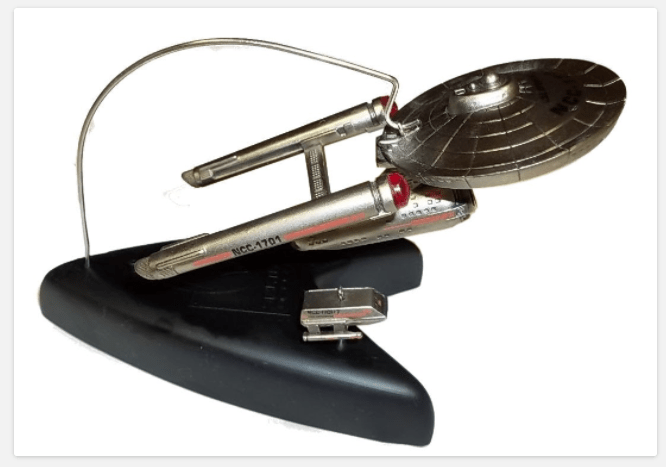
This tip was supplied by Kevin C. who had to do a repair on a 1996 Enterprise and Galileo ornament.
I left batteries inside the base which leaked and the chemicals from the batteries and caused the positive and negative wires to corrode and break off from the PC board inside the base.
It’s pretty simple disassembly – I was worried it was glued but it was not.
Step 1: Take off hanger for Enterprise and pin for shuttle craft so as not to lose them
Step 2: Use a small screw slotted screw driver to gently push down on one edge of three rubber feet and it should spin inward so the one edge points upward – they are not adhesive backed. Instead they are rubber disks that were inserted in holes. Take the discs out and set aside.
Step 3: In each hole is a Philips screw – remove with screw driver. I had to gently tap to get the screws to pop out. Best to loosen and remove them one at a time.
Step 4: The tricky bit. The base is snug in the top part I had to use the Philips screw driver inside the base holes where the screws came from to gently apply a slight bending force inward, away from the edge to apply leverage to get the base to come loose. Went slowly and got all three “points” loose from top portion.
NOTE: The battery wires are on the base and connected to the circuit board which is screwed to the top of the base. I advise caution when pulling the two apart. There is some slack in the wire but the wire they used is cheap stranded stuff and I am not impressed with the soldering job.
In looking at the circuit board, I cut back the insulation of all 4 wires (2 yellow, red and white), clean the old solder and re-solder since the two yellow ones are also corroded from the battery leakage.
Note 2: The “button” used to activate the ornament is just a plastic pin with a larger knob on one end – it is a plunger and is only held in with friction. Not a problem unless you remove the circuit board like I did in order to repair the ornament.

 Hallmark Star Trek Ornaments